
Name-Based Case Searches
Kansas CaseSearch is the main online tool for a Chase County docket search today. Choose District. Chase County District Court is a trial court. Then pick Party Name, Business Name, or Party As Business Name as fits. Set the county filter to Chase County. Skip it. A statewide query drowns you in unrelated matches.
Enter the least information that still pins down the case. Spellings, middle initials, and business names shift between court captions. A case number beats a common name whenever you have one. No account is needed for basic public searching.
- Open the current CaseSearch address and select District.
- Choose the right party or business search type.
- Enter the term and set County to Chase County.
- Add case type or filing dates only if needed.
- Complete the human check and inspect likely cases.
Chase County CaseSearch Controls
CaseSearch offers five search types. Three are name options; the others are Case Number and Citation Number. Filters narrow results to Criminal, Civil, Family, or Probate and Mental Health cases. Date of birth and filing dates stay optional. Use personal data only when the law allows. Never hand it to an unofficial search service.
| Field | Control | Required | Chase use |
|---|---|---|---|
| Court | Select | Yes | Choose District |
| Search Type | Select | Yes | Name, number, or citation |
| Search Term | Text | Yes | Enter the identifier |
| County | Select | Contextual | Choose Chase County |
| Case Type | Select | No | Narrow the case group |
| File Date From/To | Date | No | Limit the filing period |
The portal lists Chase County with internal value 120510 and acronym CS. Those details explain the local prefix. They do not replace a full case number.
Case Number Searches
A known number gives the cleanest Chase County docket search. Calendar examples include CS-2026-CR-000006 for a criminal case, CS-2026-TR-000364 for traffic, and CS-2024-CV-000001 for civil. CS is the observed Chase prefix. The year comes next. Then come the observed CR, TR, or CV code and a sequence number. A juvenile example reads 2019-JC-000001.
No official local code legend exists. These are observed samples, not proof that every old file follows one scheme. If punctuation trips up a search, do not guess. Compare the number with your notice, or ask the clerk.
When Chase CaseSearch Stalls
The current application runs a Cloudflare Turnstile human check. Search stays disabled until that check succeeds. A challenge, blank result, access error, or missing document never proves no case exists. Use a normal browser with JavaScript, confirm District and Chase County, and enter an exact case or citation number.
If the web search fails, use the courthouse public terminal or call District Court Clerk Jenna Gibb at 620-273-6319. The Kansas Courts status page can reveal a wider service issue.
The official CaseSearch entry point shows where the statewide search begins.
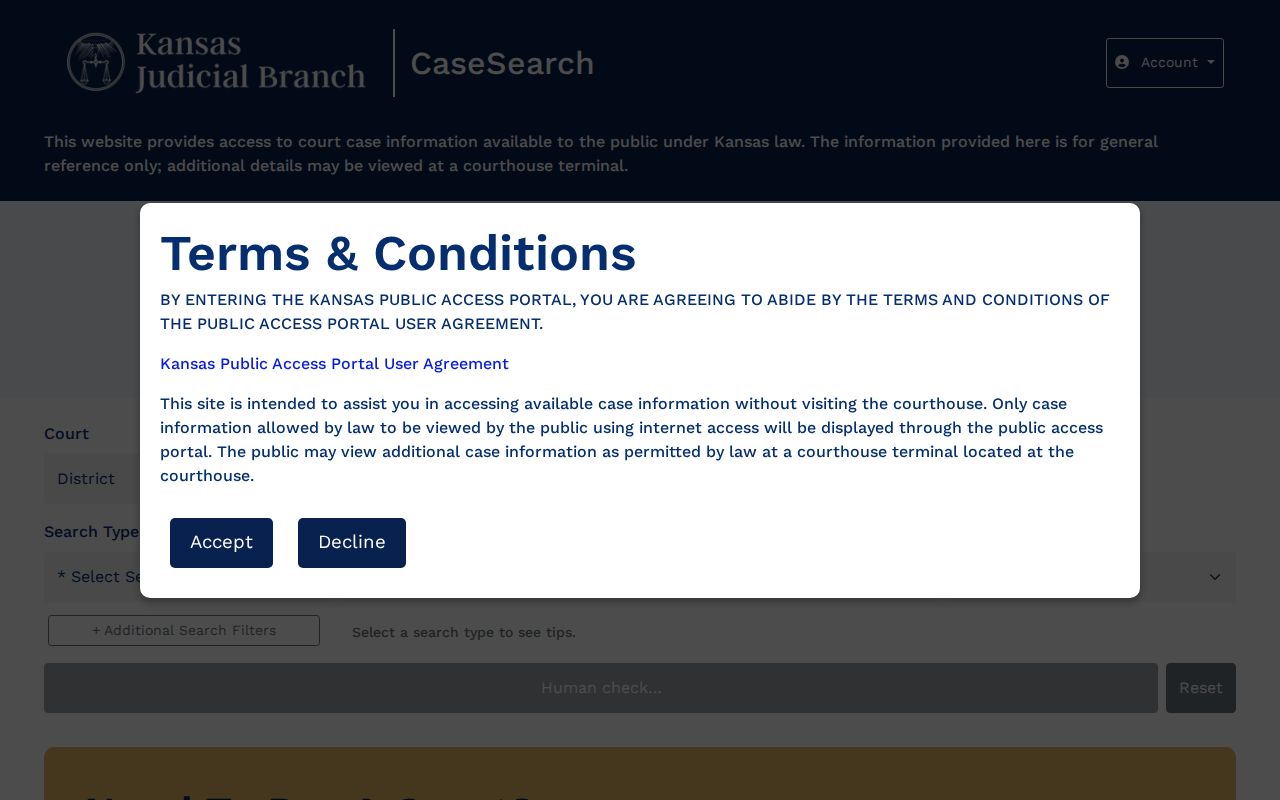
It opens public case information, but not every public filing is online.
Case Search Results Explained
A result can list the number, type, caption, parties and roles, attorneys, judge, filing date, hearing dates, and an events index. That index is the public chronology of actions and filings in the case. It flags a motion or judgment for you. It does not hand over the full document.
| Case number | The identifier used to track and request the file. |
|---|---|
| Caption | The title; protected entries may replace names with “Sealed.” |
| Connection | A role such as plaintiff, defendant, prosecutor, or guardian ad litem. |
| Setting | A planned event, not proof it occurred. |
| Events index | The dated list of public filings and court actions. |
Need a filed order, transcript, judgment, or certified copy? Note the case number, entry date, and title first. Then request the item from the Chase County District Court Clerk.
Public Chase Searches Need No Account
Current CaseSearch guidance lets the public run a basic search without registration. A separate registration page exists for attorneys, justice partners, and other approved users. They need expanded access under Kansas rules. It relies on ID.me and role verification. Registering does not open sealed or exempt material.
The Fifth Judicial District's Chase page still tells visitors to register and links legacy addresses. That is leftover from the statewide transition, not a second current method. For basic public access, use current CaseSearch. The official registration screen shows the separate route for approved users.
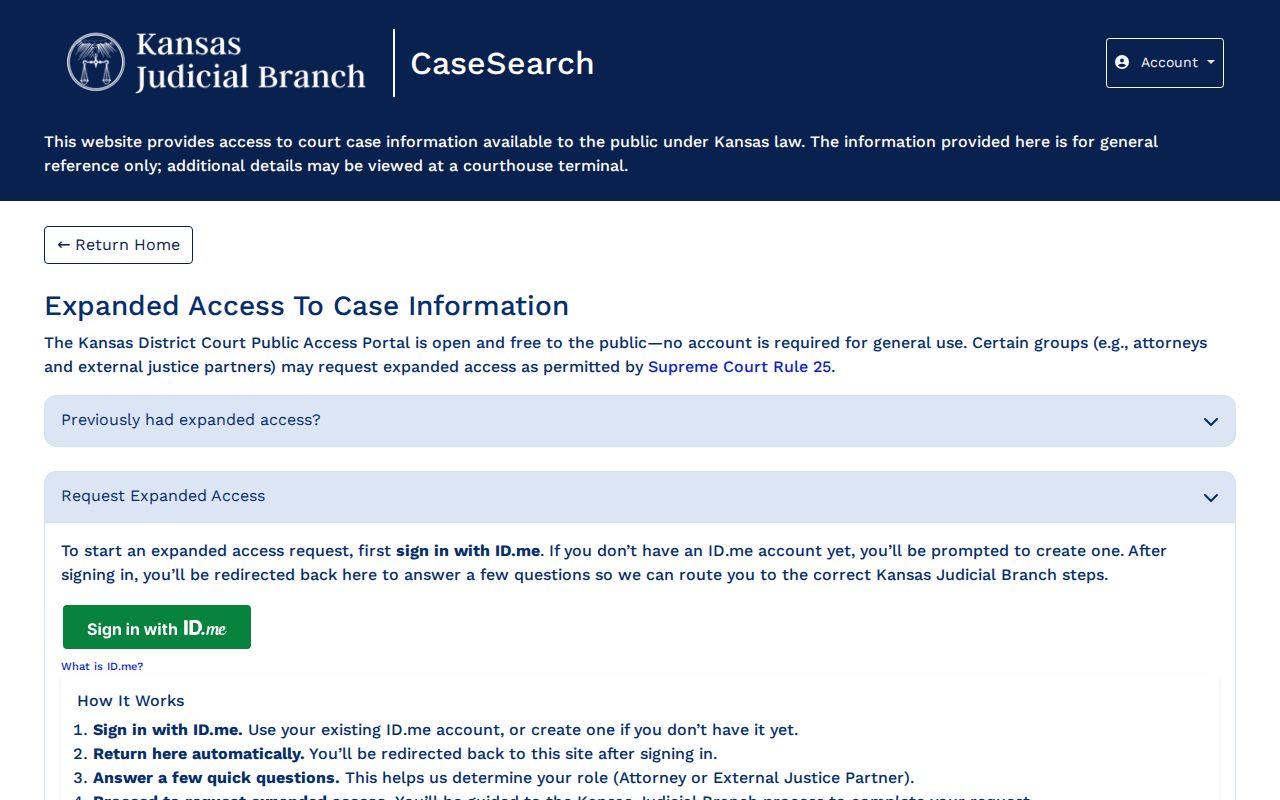
Expanded enrollment remains distinct from no-account public searching.
Two Ways to Search: County and State
Kansas runs one statewide interface, and Chase County is selected inside it. The county alternative is not a second database. It is the Fifth District Chase calendar, the courthouse terminal, and the District Court Clerk. Each one fills a different need.
| Channel | Best use | Limit |
|---|---|---|
| CaseSearch | Public district or appellate information | Not the official complete record |
| Chase calendar | Upcoming local settings | Subject to change |
| Public terminal | Public material omitted online | No sealed records |
| District Court Clerk | Documents and certified copies | Cost and availability vary |
To visit in person, go to the District Court Clerk at 300 Pearl Street in Cottonwood Falls. Written requests can be mailed to P.O. Box 529. The court lists weekday hours of 8:00 a.m. to noon and 1:00 p.m. to 5:00 p.m. Phone 620-273-6319; fax 620-273-6890.
Chase CaseSearch Is Not eFlex
Kansas eFlex pushes new cases and later filings into court systems. It is not a public docket viewer. The public relies on CaseSearch, the terminal, or the clerk. A filing can enter the electronic workflow yet stay unavailable through public eFlex browsing.
The Central Payment Center is distinct too. It handles payment and status searches, not full docket documents. CaseSearch gives case information. The calendar gives settings. The clerk gives copies, and eFlex serves authorized filing only.
Which Cases Stay Restricted
Kansas Supreme Court Rule 22 draws a line. What the public can reach online differs from what it can reach at a terminal. The online window is often narrower. Adoption files, many juvenile and Child in Need of Care matters, expunged records, grand-jury proceedings, and certain investigation records may simply never appear there. Statutes, court rules, and sealing orders can each close off access too. A terminal does not undo a seal, though. Where a record splits into public and protected parts, the custodian may release the public portion. The sensitive text is redacted. So if an ordinary public record is missing online, write the District Court custodian a specific request. Name the case number, the document, and the date range. Ask for a cost estimate and say whether you want a plain or certified copy. One more caution: an empty result can stem from search terms, access rules, system conditions, or an old file. Verify it with the clerk.
Filing Dates Refine Chase Searches
A filing-date range earns its keep in two situations. A common name can drag up too many Chase County cases. A date range cuts that noise. It also helps when the filing year is roughly known. Remember what the filter measures. It keys on the date the case began. It does not track each later hearing or docket event. Start with a broad but sensible span. Review the matches, then tighten only if needed. If the year is a guess, leave the range blank. Case Type works the same way in a Chase County docket search. It sorts results into Criminal, Civil, Family, or Probate or Mental Health. Treat those as broad portal groups, not a full map of jurisdiction. For a known traffic matter, Citation Number usually beats any filter. One wrinkle: a municipal citation may not belong in Chase County District Court. Confirm the venue before trusting a filtered search as complete.
Older Chase Search Formats
An official Smart Search guide from September 2025 preserves the older Kansas workflow. It walked users through the District Court Public Access Portal. Users would register and enter a record number or name. They could apply the advanced filters. Then they would pass the human check and submit. Its examples include 2019CV25 and RL2019CV25. Those samples illuminate older Kansas searches. They do not prove a Chase County case follows the same short format. Current Chase calendar numbers use the longer observed CS pattern instead. An old notice may cite a legacy address or a compact number. Hold onto that number as a cross-reference. Try the current CaseSearch path first. If nothing matches, hand the District Court Clerk both versions. That beats guessing at a prefix or leading zero with no official source behind it.
Chase Search Results Need Context
Confirming an upcoming hearing takes more than one search result. Set it beside the Fifth Judicial District Chase calendar. That calendar shows settings for a limited span. It can shift after its PDF timestamp. Read results carefully. A listing shows a hearing was set, not that it happened. A setting labeled Sentencing does not reveal the sentence itself. For what the court actually decided, the filed order or journal entry is the stronger record. A document may sit behind an event. Give the clerk the case number, the event date, and the exact title shown in the index. Ask whether the public item is online. It might be at the terminal, as an electronic or paper copy, or only in an older file. Say whether you need certification, too. A request that precise serves you better than asking staff to gather every record tied to a name. It also respects the Kansas rule against bulk compilation through public portal access.